admin でフロー フィールドを機能させる方法がわかりません。
https://raw.githubusercontent.com/lektor/lektor-assets/master/screenshots/admin.pngに示されている例を希望します。 次に、localhost:5000/admin/root/edit をクリックしてhttp: //i.imgur.com/EPCrBRC.png
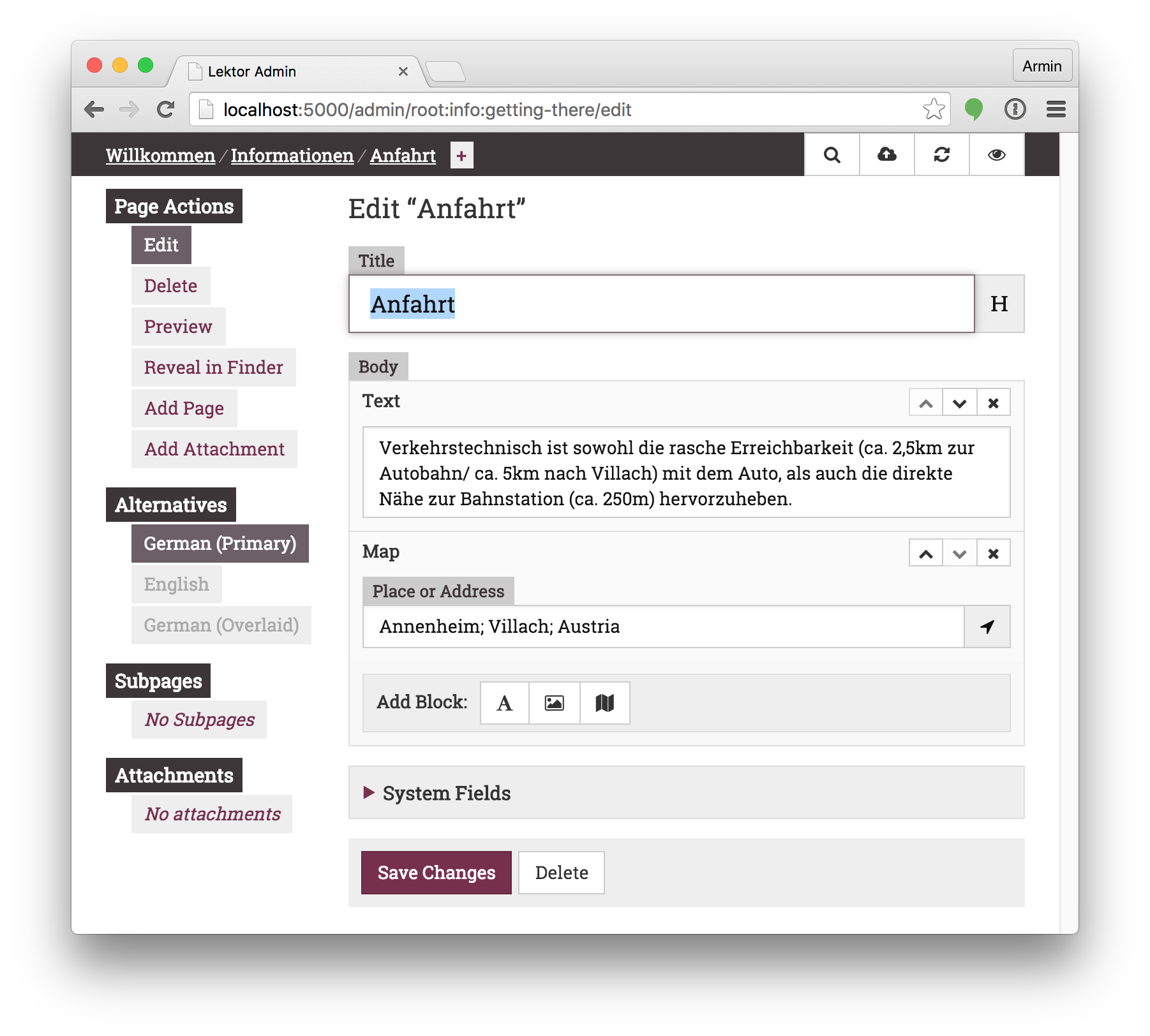

私は何か単純な間違いをしていると感じています。しかし、ここでそれを基本に切り詰めることが私が試したものです:-
$ cd /tmp/
$ lektor quickstart
Lektor Quickstart
=================

This wizard will generate a new basic project with some sensible defaults for
getting started quickly.  We jsut need to go through a few questions so that
the project is set up correctly for you.

Step 1:
| A project needs a name.  The name is primarily used for the admin UI and
| some other places to refer to your project to not get confused if multiple
| projects exist.  You can change this at any later point.
> Project Name: flow-example

Step 2:
| This is the path where the project will be located.  You can move a
| project around later if you do not like the path.  If you provide a
| relative path it will be relative to the working directory.
> Project Path [/tmp/flow-example]:

Step 3:
| Do you want to generate a basic blog module?  If you enable this the
| models for a very basic blog will be generated.
> Add Basic Blog [Y/n]: n

Step 4:
| Your name.  This is used in a few places in the default template to refer
| to in the default copyright messages.
> Author Name [Brendan M. Sleight,,,]:

That's all. Create project? [Y/n] Y
$ cd flow-example/
$ echo "[fields.extra]
> label = Extra
> type = flow
> flow_blocks = text" >>./models/page.ini
$ cat ./models/page.ini
[model]
name = Page
label = {{ this.title }}

[fields.title]
label = Title
type = string

[fields.body]
label = Body
type = markdown
[fields.extra]
label = Extra
type = flow
flow_blocks = text
$ lektor server
 * Project path: /tmp/flow-example/flow-example.lektorproject
 * Output path: /home/bms/.cache/lektor/builds/76682e6a8f99116f0da91bcf96203e94
Started source info update
 * Running on http://127.0.0.1:5000/ (Press CTRL+C to quit)
Finished source info update in 0.05 sec
Started build
U index.html
U about/index.html
U projects/index.html
Finished build in 0.12 sec
Started prune
Finished prune in 0.00 sec
```